How to create and share 360-degree images with Bubbli
Capture and share spherical photographs with this free iOS app
– 3 min read


Capture and share spherical photographs with this free iOS app

This article was migrated from an old version of our website in 2025. As a result, it might have some low-quality images or non-functioning links - if there's any issues you'd like to see fixed, get in touch with us at info@journalism.co.uk.
Bubbli is a free photo app for iOS that allows users to take spherical photo ‘bubbles’, immersive 360-degree images complete with sound, to share on social media.
As opposed to a panoramic photo, which is simply an image with elongated fields of view, Bubbli’s capabilities allow users to capture the sides, top and bottom of the space around them, effectively placing viewers at the centre of the frame.
To make the images or ‘bubbles’ even more immersive, the app also gives users the option to record the audio of their surroundings whilst taking the picture.
Downloading the free app will allow you to start capturing 360-degree images, but in order to save them to Bubbli's in-app library, you will be required to sign up for an account using your name, email address, username and desired password.
Once you’re set up, the app’s menu bar at the bottom of the screen will let you flick between Featured, a grid of public bubbles published by other Bubbli users; Social, a space to follow fellow creators; Me, a grid of personally created bubbles; and Guide, a hub for video tutorials on how to best use the app.
bubble A 'bubble' created with bubbli – click the image to view in another window (embedded with embed.ly)
You will notice that you have some creative freedom when recording, as you can choose between fixed or variable exposure, and also turn the audio recording capabilities on or off.
To take a spherical picture, simply press the red 'record' button and start capturing the space around you.
Similarly to taking a panoramic image, you will need to stand still and keep a steady hand.
Tilt your iPhone or iPad up and down to capture your surroundings. It is important that your arms remain in a fixed position, as if it is only your device that is rotating around a fixed axis.
Once Bubbli tells you that the scene has been 100 per cent recorded, hit the red button again and select ‘build’ to assemble your bubble.
The app will then get to work exporting your creation, and will even send you a push notification when it is complete and ready to view.
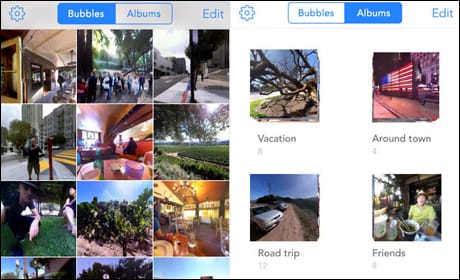
Screenshots of a user's 'bubbles' in the library section of the app
After you have created your bubble, the app will take you directly to your library, where all your images are stored.
Click on the one you have just taken and you will see a menu with various options, which include adding a title and sharing your location.
You can share the link to your 360-degree image to a range of platforms, including Twitter, Facebook, email, iMessage and Safari.
If you would rather embed the image itself as opposed to sharing a link, the app does offer an embed code that should work in most browsers.
However, we found this fairly problematic, as the image did not display correctly, so we chose to embed the bubble using an external website called
embed.ly instead.