Tool for journalists: Mercury, for audio transcription and translation
Funded by the Google Digital News Initiative, this web based tool will help journalists and publishers to translate videos and audio into multiple languages
This article was migrated from an old version of our website in 2025. As a result, it might have some low-quality images or non-functioning links - if there's any issues you'd like to see fixed, get in touch with us at info@journalism.co.uk.
Publishers are constantly looking for new ways to increase their video output in a fashion that is effective and not time-consuming.
New tool Mercury, which is free and funded by the Google Digital News Initiative, has been designed to help news organisations use video and audio in their day-to-day work, and make it more accessible to audiences around the world.
Get started by signing into the tool with your Google account, before uploading a video or audio file from your computer. The file will then save to your Google Drive, in a folder which stores all the material you've uploaded within the tool. Note that only files uploaded through Mercury will be visible in Mercury, so you'll have to re-upload any videos already on your account.
Mercury is designed for users to work with shorter video segments and audio interviews, preferably in MPEG4 or MP3 format, so stick to content under 1 GB.
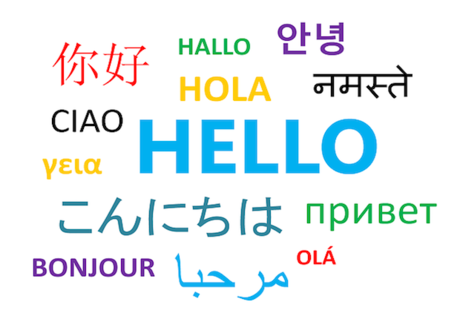
Select the file you'd like to work on, and choose the language that the video is in from the drop-down list. Mercury supports computer assisted transcription in English, Chinese, Japanese, Arabic, French, Spanish and Portuguese.
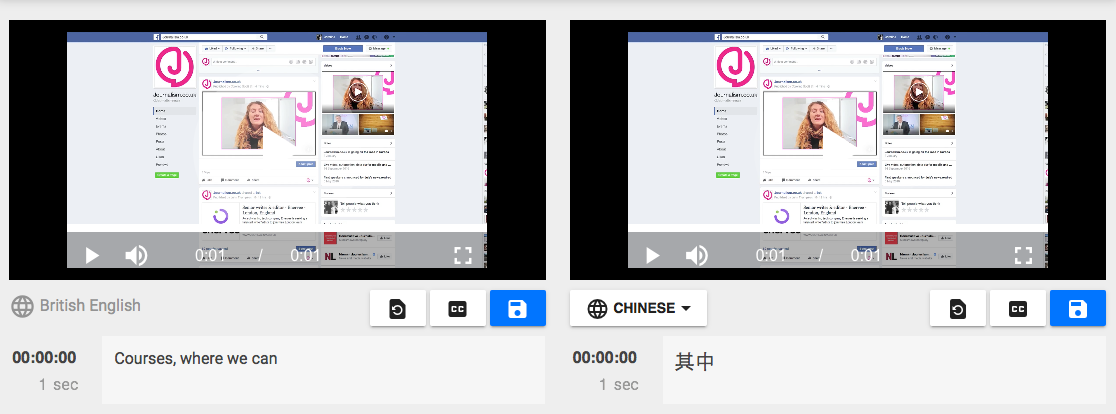
Click 'transcribe' and wait for the tool to produce a transcript of the video's text. You can always edit this by clicking on it if you'd like to alter it or add any punctuation the tool has missed. The transcript can then can be exported as closed captions or subtitles.
To translate the text from the video, simply click the 'translate' tab above the manuscript and choose your preferred language. Audio can be overdubbed using synthesized voices or recorded in directly via the browser.
Mercury is currently in public beta, and plans to continue to run this way until the end of 2017. Not all features are live yet, but the tool will soon allow journalists to edit and publish media, creating animated videos from images, overlay text and images on videos.