5 apps for journalists to record phone interviews
Recording interviews offers an extra layer of protection for journalists, as well as enabling easier transcription. Just remember to ok it with your interviewee first
– 3 min read


Recording interviews offers an extra layer of protection for journalists, as well as enabling easier transcription. Just remember to ok it with your interviewee first
This article was migrated from an old version of our website in 2025. As a result, it might have some low-quality images or non-functioning links - if there's any issues you'd like to see fixed, get in touch with us at info@journalism.co.uk.
Many journalists record telephone interviews for easier transcription or to cover themselves in case a comment or quote is called into question.
The following recording apps for iPhone, Android, Windows Phone and Skype offer an easy way to make sure you don't miss a thing.
It's good practice to ask permission from your interviewee before recording a call, and make sure you're aware of any recordings laws or regulations in your country or state.
Don't forget too to take any new recording app for a trial spin so you're well acquainted with how it works – the last thing you want is to hang up the phone after an amazing interview and find you missed the whole thing.
For iOS and Android phones, TapeACall allows you to record a call that is already in progress, or one you're about to make. Recordings show up straight away and are available to download or share as an mp3. Unlike some call recorder apps which charge by the minute, TapeACall charges a flat fee of $9.99 (£6.40) for unlimited use for a year.
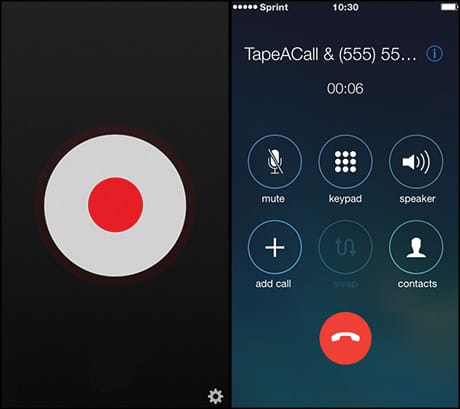
Screenshot from TapeACall
Although currently only available in the US, Google Voice works on iOS, Android and Windows Phone. It's free and insanely easy to use – simply create a Google Voice number, route it to your phone and press '4' during any call to start recording.
Journalists who use one phone for both work and personal use can also use Google Voice as their 'work number' if they choose, with the benefit that calls can be routed straight to voicemail during non-working hours.
Recently covered by Journalism.co.uk , this Android app allows you to record all outgoing calls or just the ones you select. Yallo is free to download, although credit must be added for calls to non-Yallo numbers (new users get $3 call credit). The app is currently available in the UK, USA and Israel, and an iOS version is one the cards soon.
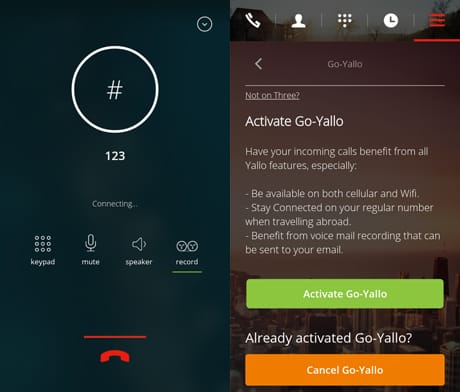
Screenshot from Yallo
An Android app with one significant benefit over Yallo – the ability to save a large number of recordings (Yallo is limited to 500 before files start being deleted). Automatic Call Recorder Pro also allows you to start a recording simply by shaking your phone. Costs $6.99 (£4.48).
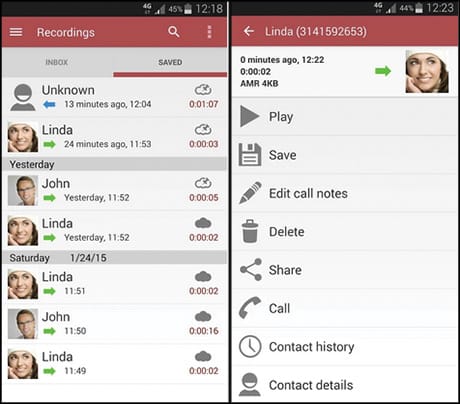
Screenshot from Automatic Call Recorder Pro
A favourite in the Journalism.co.uk office, Call Recorder is a Mac app for recording Skype calls with a simple click of a button. You can see input and output audio levels while the app is running, allowing you to check that is recording properly. The app costs a one-off payment of $29.95 (£19.19), although a free seven-day trial is available to new users.
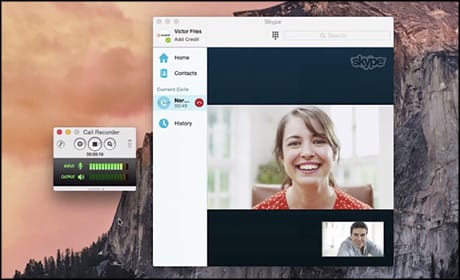
Screenshot from Call Recorder for Skype