Amazon launches 'send to Kindle' button for websites
News sites and WordPress bloggers can add the button, allowing readers to save articles and read later

– 1 min read


News sites and WordPress bloggers can add the button, allowing readers to save articles and read later
This article was migrated from an old version of our website in 2025. As a result, it might have some low-quality images or non-functioning links - if there's any issues you'd like to see fixed, get in touch with us at info@journalism.co.uk.
News outlets and WordPress bloggers can now add a 'send to Kindle' button to their site, allowing readers to save an article to their e-reader.
Amazon announced the new button yesterday, and the Washington Post (pictured below), Time, and the Boing Boing blog are among those who have already added the new share option.
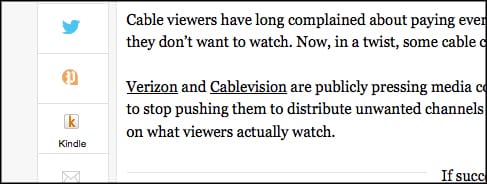
Readers can save web content to their Kindle for later reading and iPad, iPhone and Android users can install a Kindle reading app on their device and so also use the button.
For Kindle users who want to save news articles from sites without the new button, they can install a 'send to Kindle' browser extension for Firefox or Chrome , or use a 'send to Kindle' email address or Android, Mac and PC apps.
Websites can get the button here and a WordPress plugin is at this link .
In an announcement blog post, Amazon asked: "Have you ever encountered news, blogs, articles and other content on the web that you want to read but don't have time to do so immediately?
"The send to Kindle button lets you easily send that content to your Kindle to read later, at your convenience."
The post adds: "No more hunting around for that website or blog that caught your eye – just open your Kindle and all the content you sent is right there."