App for journalists: Videolicious for video editing
An easy-to-use video editing app for quickly creating narrated videos and audio slideshows
– 2 min read


An easy-to-use video editing app for quickly creating narrated videos and audio slideshows
This article was migrated from an old version of our website in 2025. As a result, it might have some low-quality images or non-functioning links - if there's any issues you'd like to see fixed, get in touch with us at info@journalism.co.uk.
iPhone and iPad
Free ( paid-for options let you add a company logo and create longer videos)
An easy-to-use video editing app for quickly creating narrated videos and audio slideshows. You edit as you shoot which means you can record, edit and file a video package in a matter of minutes.
Around 30 Washington Post reporters are using Videolicious, according to this post on Poynter. Give it a test and you will realise why it is a great option for busy journalists.
The app works by accessing your camera roll. You can then narrate the story, recording a voiceover as you select the photos or videos as you want them to appear, or you can use the iPhone's camera so you can present the story in vision. If you have a second person with you who can shoot, they will be able to record you and add the pictures as you present. If you are alone, you can flip the camera so that it shoots you from the screen side of your phone and you can select the photos and videos yourself as you are speaking.
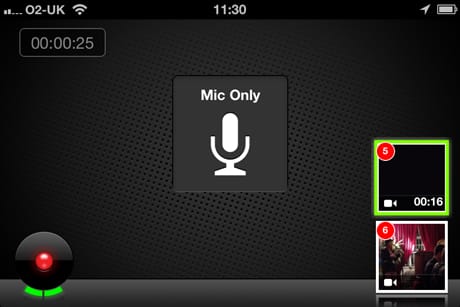
You can import videos from another device to your camera roll, meaning you could shoot in another app or using another device.
You can share your edited Videolicious video by email, Twitter, Facebook or upload directly to YouTube.
The app is free but you will need to select one of the paid-for packages (starting at $5 a month) if you want to create videos with more than 10 shots or that are longer than one minute in length. The paid option also allows you to add a logo. Here are some great examples of videos created using Videolicious.